
April 2022, Release Notes
New features released in Somnoware in addition to the continuous optimization of existing capabilities and overall performance improvements:
Key Features:
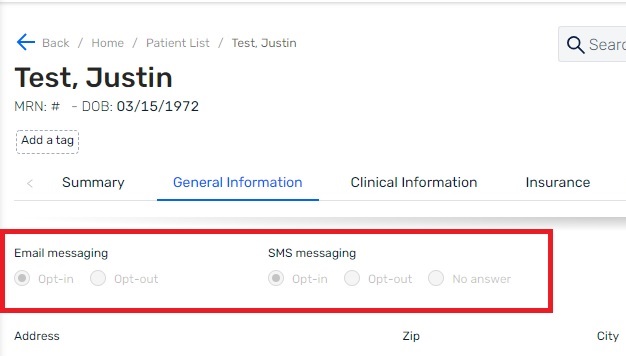
- Patient SMS and Email messaging consent options within the Somnoware web application for clinics using appointment reminders, questionnaire notifications, and care management.
Details:
SMS AND EMAIL MESSAGING CONSENT FROM PATIENTS
- To prioritize the privacy of patients, Somnoware has introduced additional capabilities to maintain records of consent for SMS and email messaging.
- SMS and Email reminders will only be sent to patients if they opt-in for this service and the feature is enabled for the clinic providing care.
- Patients can select one of the three following options regarding SMS and Email messaging communications.
- Opt-in: The patient has provided consent to receive electronic communications from Somnoware via SMS or Email.
- Opt-out: The patient has selected to not use this service. They will not receive electronic communications via SMS or Email from Somnoware.
- No Answer – Default status when a patient has not yet selected their electronic communications preference in Somnoware or if awaiting confirmation of the selected status.
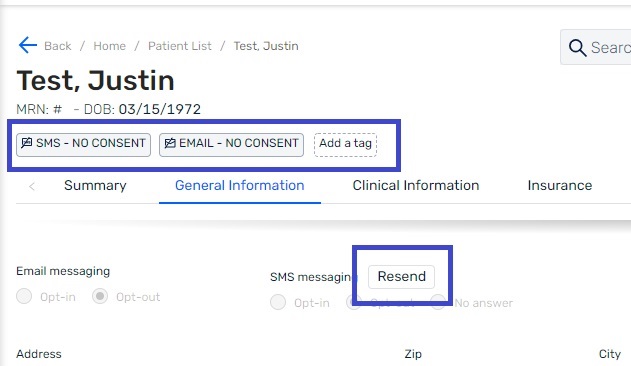
Tags & Resend Button
When a patient opts out of this service, tags will be automatically created to indicate their electronic communications preferences in their profile.
A “Resend” button will be visible if the patient’s electronic communication status is Opt-out or No answer. Upon clicking the “Resend” button, a new request for consent will be sent to the patient and their electronic communications preference will appear as No answer even if Opt-Out was previously selected.
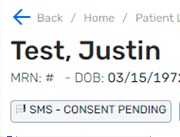
- A ‘CONSENT PENDING’ tag will appear in the patient’s profile if the current electronic communications status is No-Answer.
Settings
A region-level setting has been implemented that determines the default value when creating a new patient. The selected option will be pre-populated when creating the patient.
This feature will be enabled for clinics that have subscribed (enabled) electronic communications via SMS/Text in Somnoware.
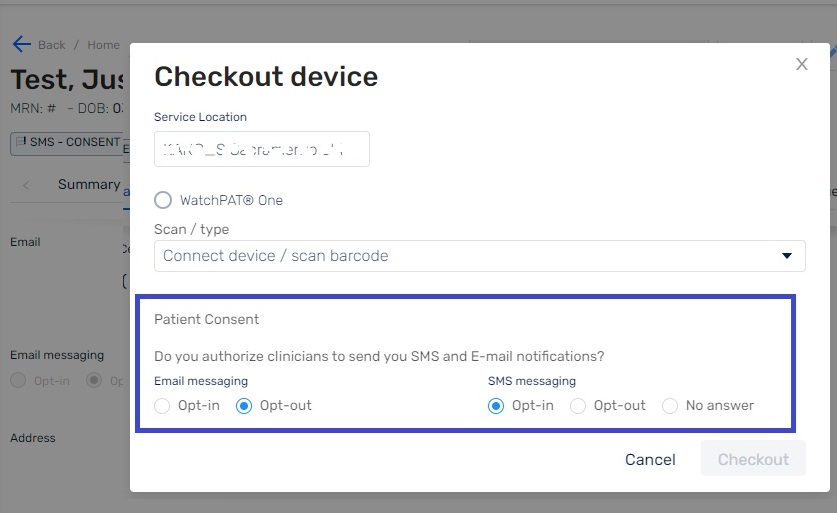
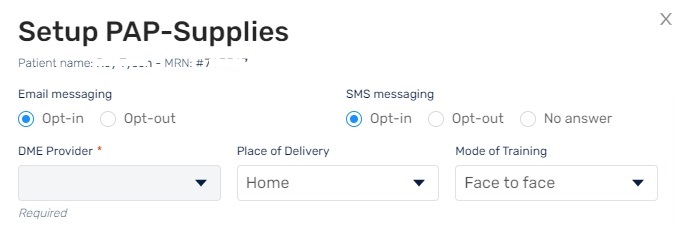
Patient Consent from Checkout Device and PAP Setup windows.
When completing a device checkout or PAP setup in Somnoware, the user can view and update the patient’s electronic communications consent status.
The status that appears in this window is populated directly from the patient profile. However, if the status in the patient’s profile is No Answer, the electronic communications preference will default to Opt-in from the Checkout Device and PAP Setup windows.
Care management
When a patient Opts-out of receiving electronic communications via SMS or Email from Somnoware, a ‘Do Not Disturb’ tag will be created in the patient’s Care Management profile.
Current triggers for sending SMS and Emails
- When an appointment is created.
- When a questionnaire is assigned (currently Email notification only).
- Care Management (Compliance) -Low adherence SMS message.
- Care Management (Compliance) -No usage SMS message.
- Care Management (Compliance) - Meets adherence (PAP usage) goal.